 AAVE
 UNI
 SHIB
 AVAX
 SUI
 OKB
 CRO
 XLM
 NEAR
 WBT
 ZEC
 XMR
 USDT
 RAIN
 HYPE
 ADA
 BNB

 XRP
 ETH
 TRUMP
 BTC
 SOL
 GRAM
 DATA
 LINK
 TAO
 DASH
 XTZ
 ATTN
 DEV
 WLFI
 TRX
 ANSEM
 DOGE
 USDC
 USDG
 PYUSD
 CC
 PAXG
 FIGR_HELOC
 LTC
 ONDO
 RLUSD
 USD1
 XAUT
 USDD
 USDY
 LEO
Description
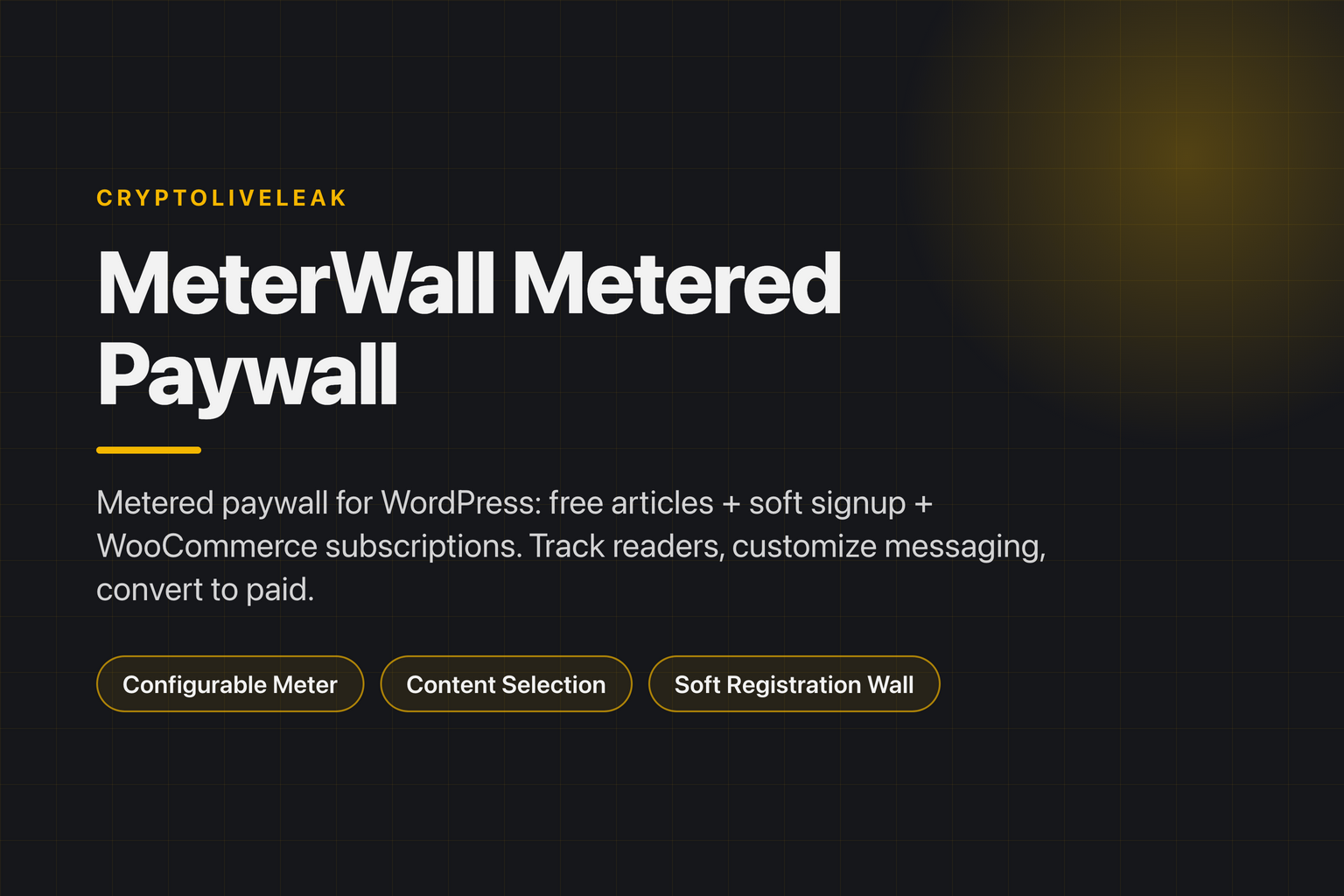
MeterWall is a metered paywall plugin for WordPress publishers: readers get N free articles per month, then see a soft registration wall and WooCommerce subscription upsell.
Features
- Configurable Meter — Set the number of free articles per month and choose a reset period.
- Content Selection — Protect all posts, selected categories, or specific posts.
- Soft Registration Wall — Allow 1-2 anonymous reads before prompting for signup.
- WooCommerce Integration — Link a subscription product and auto-redirect when limits are reached.
- Visitor Tracking — Track anonymous visitors via cookies and registered users via user meta.
- Paywall Customization — Edit paywall messaging, headlines, and button text easily.
How it works
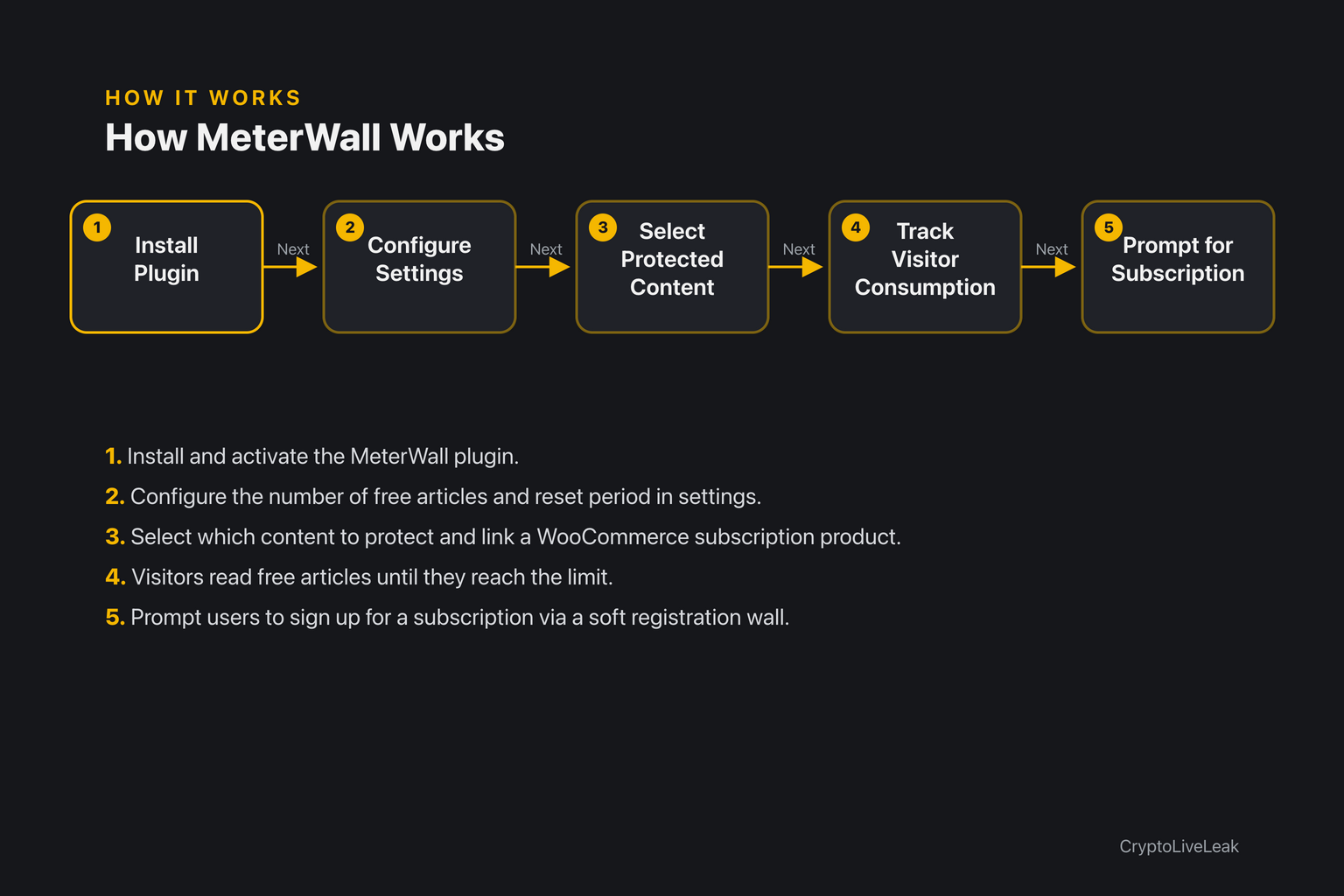
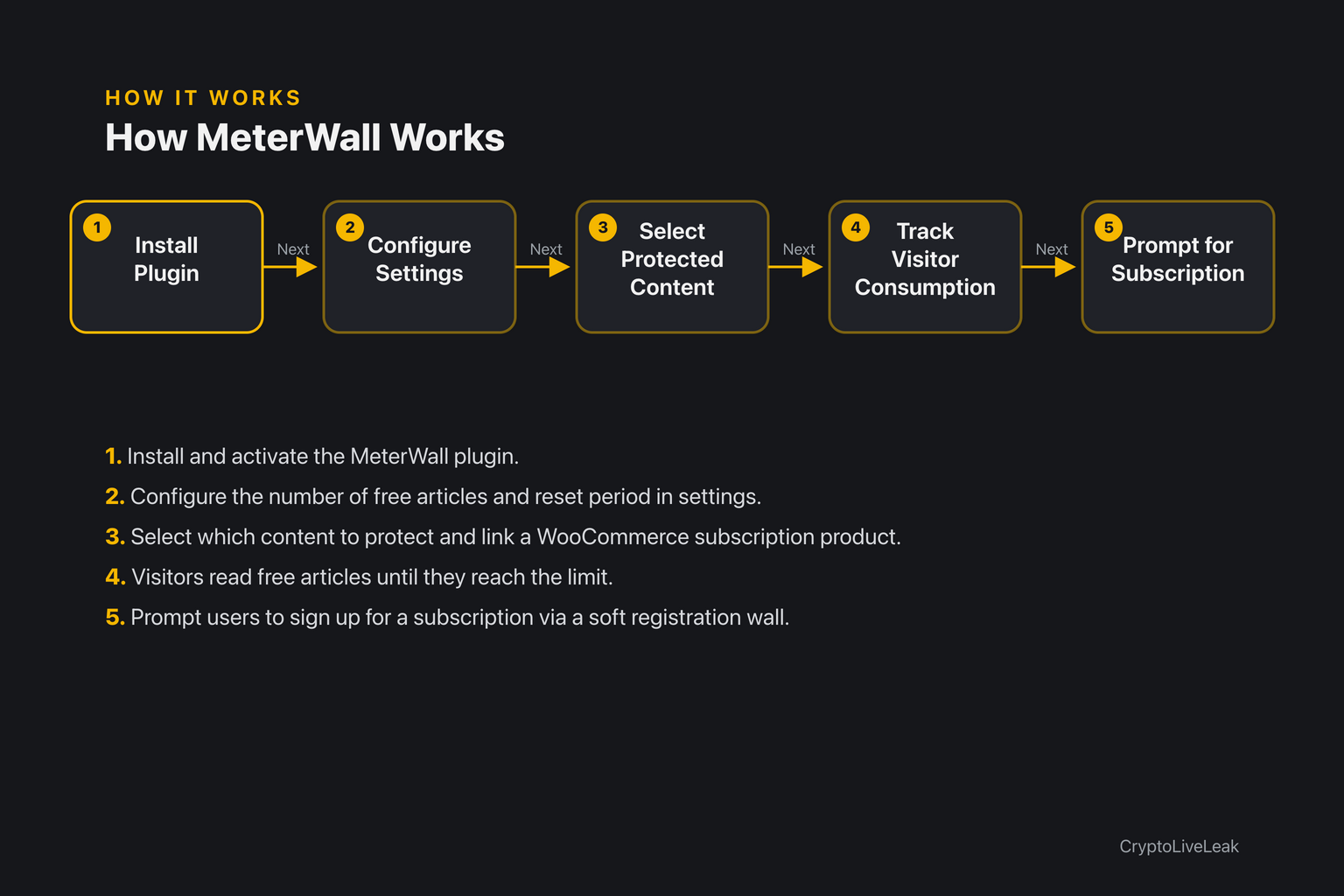
- Install and activate the MeterWall plugin.
- Configure the number of free articles and reset period in settings.
- Select which content to protect and link a WooCommerce subscription product.
- Visitors read free articles until they reach the limit.
- Prompt users to sign up for a subscription via a soft registration wall.
Requirements
- WordPress 6.0 or newer
- PHP 7.4 or newer
- Tested up to WordPress 6.6
Installation
- Upload the plugin zip file through the WordPress admin.
- Activate the plugin from the Plugins screen.
- Go to Settings → MeterWall Metered Paywall to configure options.
Frequently asked questions
Where are the settings?
Settings can be found under Settings → MeterWall Metered Paywall.
Does this work without WooCommerce?
Yes, MeterWall functions independently; WooCommerce is optional.
Is anonymous visitor tracking private?
Yes, it only stores non-personal data like read counts and post IDs.
Can I customize the paywall message?
Yes, you can edit headlines, messages, and button text.
What happens when the free articles are used up?
Users will see a prompt to subscribe via WooCommerce.
Changelog
1.0.0
- Added
- Initial release.
Support & documentation
- Support: contact@cryptoliveleak.com
Reviews
There are no reviews yet.